How to Clean a Treadmill Without Damaging It
The short answer: turn the treadmill off, remove the safety key, and unplug it. Apply a model-approved cleaner to a soft microfiber cloth—not directly to the machine—then wipe the console, handrails, side rails, and frame. Clean the walking-belt surface with a dry or lightly damp cloth and remove loose debris with a vacuum or soft brush. Let every surface dry before reconnecting power.
Do not soak the belt, use a wet mop, or spray liquid toward the console, motor hood, belt edges, or openings. The exact cleaner and whether the motor cover is user-removable depend on the model manual.
What You Need
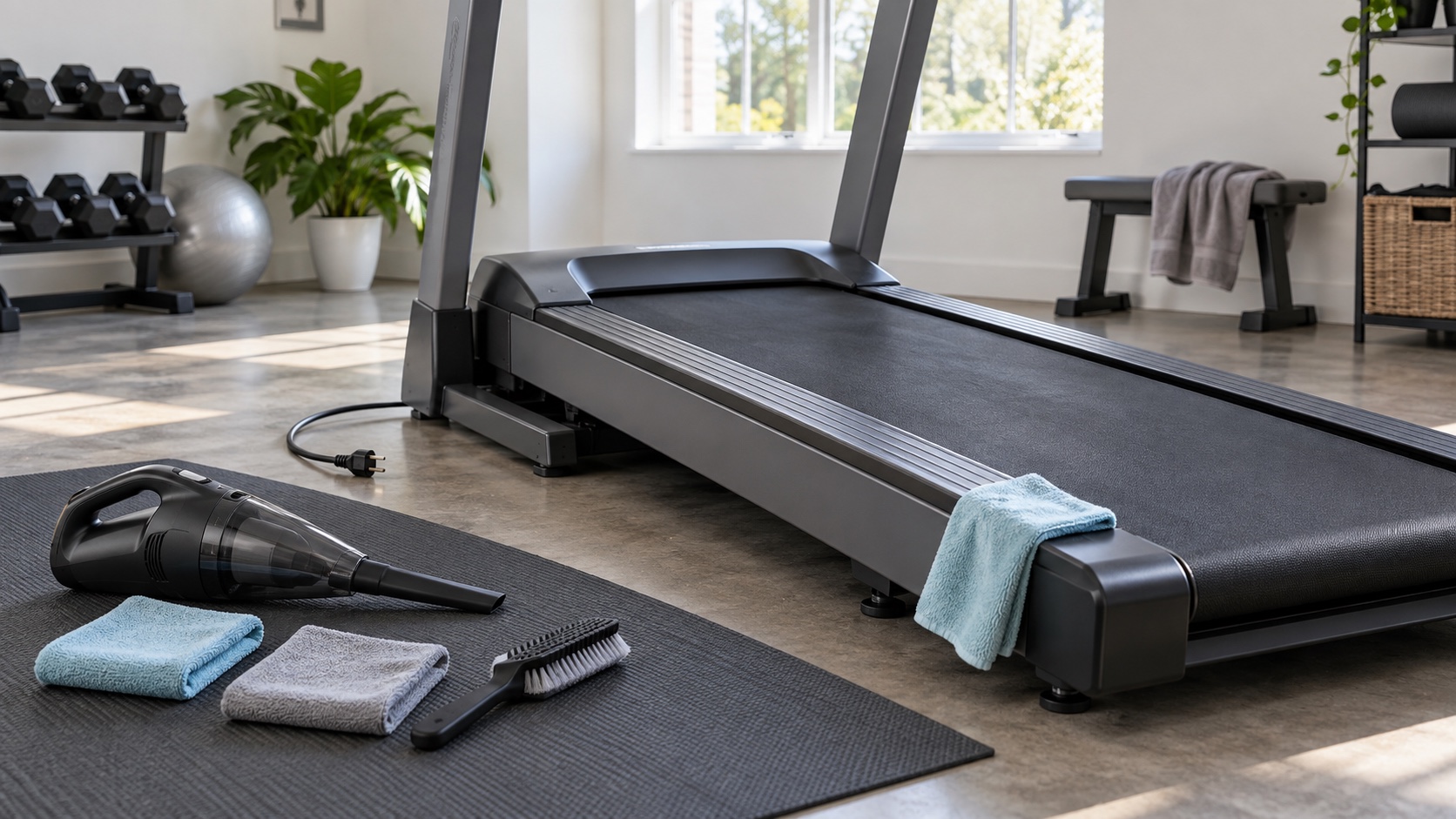
- Two soft microfiber cloths: one lightly damp, one dry
- A small vacuum with a narrow nozzle
- A soft nylon brush for dry belt debris, if the manual permits it
- Mild soap and water or the cleaner approved for your model
- The treadmill owner’s manual
Life Fitness permits mild soap and water or a mild non-abrasive household cleaner on compatible exterior surfaces, but warns against ammonia, acids, abrasive cleaners, paper towels, and applying cleaner directly to equipment. Other brands may specify different products, so check the manual before using a disinfectant or screen cleaner.
| Area | Use | Avoid |
|---|---|---|
| Console and controls | Cleaner approved for the display, applied sparingly to a microfiber cloth | Direct spray, dripping cloths, abrasive pads, and unapproved alcohol or ammonia |
| Handrails, side rails, and frame | Lightly damp microfiber cloth; mild approved cleaner when needed | Solvents, bleach unless specifically approved, acidic cleaners, and soaking seams |
| Top of walking belt | Dry microfiber cloth, vacuum for loose debris, or a lightly damp cloth if allowed | Wet mop, standing water, wax, oil, and cleaner that leaves a slippery residue |
| Under the treadmill | Vacuum after the treadmill is safely moved or secured | Pulling on the console, pinching the power cord, or working under an unsupported folding deck |
| Motor compartment | Only the owner-level method in the exact manual | Opening covers by assumption, touching electronics, or blowing dust deeper into components |
How to Clean a Treadmill
- Power down completely. Stop the belt, set the incline to the manual’s recommended storage or service position, switch the machine off, remove the safety key, and unplug it. If the manual specifies a waiting period before maintenance, observe it.
- Remove loose dust first. Vacuum around the base, side rails, and floor so grit is not dragged across plastic or the walking belt. Keep the nozzle outside vents and away from wiring unless the manual says otherwise.
- Wipe the console and controls. Put a small amount of approved cleaner on the cloth. The cloth should be damp, not wet. Wipe gently, then dry the surface. Do not spray the screen or button gaps.
- Clean the rails and frame. Wipe sweat and dust from the handrails, uprights, motor-cover exterior, side rails, end caps, and accessible frame. Dry joints and seams where liquid could collect.
- Clean the walking surface. Use a dry microfiber cloth and vacuum to collect loose debris. If the manual allows a damp cloth, use minimal water and keep moisture from running beneath the belt. Life Fitness specifically warns against a wet mop because water can reach electronics or seep between the belt and deck.
- Clean underneath. Move or fold the treadmill only as its manual directs. Secure the folding latch before working nearby, vacuum the floor, and check that the power cord is not pinched or trapped.
- Inspect while you clean. Look for a frayed belt edge, loose fastener, damaged cord, unreadable safety label, cracked cover, or unusual residue. Leave the treadmill unplugged if you find damage that needs service.
- Let it dry. Reconnect power only after the belt, console, rails, floor, and any cleaned seams are completely dry.
Should You Clean Under the Motor Hood?
Only if the owner’s manual identifies it as routine user maintenance and gives a procedure. Horizon’s general maintenance schedule tells owners of applicable models to unplug the treadmill, wait 60 seconds, remove the motor cover, and clear lint or dust from the motor and lower-board area. By contrast, a Precor home treadmill manual says users should not attempt service beyond the tasks described in that manual.
If your manual does not authorize motor-compartment cleaning, leave the cover in place. Use a technician when you see exposed or damaged wiring, scorch marks, liquid intrusion, heavy debris around electronics, repeated shutdowns, or a burning smell.
A Practical Cleaning Schedule
- After sweaty workouts: wipe contact surfaces with an approved damp cloth and dry them.
- Weekly: remove dust from the belt surface, rails, base, and surrounding floor.
- Monthly: inspect the cord, belt edges, fasteners, vents, and the area beneath the treadmill. Perform any manual-specified internal cleaning.
- After moving or storage: check for trapped debris, cord damage, belt alignment, and a secure folding latch before use.
Your manual’s schedule overrides these general intervals. A treadmill used by several people or kept near pets, carpet, chalk, or an open garage may need more frequent dust removal.
Common Cleaning Mistakes
- Spraying the machine directly. Liquid can enter button gaps, seams, vents, and the space between the belt and deck.
- Using a wet mop on the walking belt. Excess water can reach electronics or interfere with the belt-and-deck system.
- Using an all-purpose cleaner without checking compatibility. Acids, ammonia, bleach, solvents, and abrasives can damage displays, plastics, paint, or powder coating.
- Leaving cleaner residue on the belt. A slippery walking surface is a fall risk.
- Pulling the treadmill by the console. Move it only at the frame points described in the manual.
- Opening the motor hood because another brand recommends it. Owner maintenance boundaries differ by model.
Stop Cleaning and Arrange Service When
- The power cord is cut, frayed, pinched, or unusually hot.
- You find liquid inside the console or motor area.
- The belt is torn, folded, deeply frayed, or rubbing a rail.
- There is a burning odor, smoke, scorch mark, repeated breaker trip, or shutdown.
- A cover is cracked, a fastener is missing, or the folding mechanism will not lock securely.
Keep the treadmill unplugged and remove the safety key so it cannot be used accidentally.
Sources and Manufacturer Guidance
Requirements can vary by product, model, and situation. These primary sources informed this guide; official instructions for your exact product and current authoritative guidance take priority.
- Horizon Fitness Treadmill Owner’s Manual: Maintenance Schedule
- Life Fitness: Cardio Preventative Maintenance and Approved Cleaning Methods
- Life Fitness: How to Clean the Treadmill Running Belt Surface
- Precor TRM 211 Owner’s Manual: Cleaning and Maintenance
- Precor: Recommended Cleaning Procedure for Exercise Equipment
Frequently Asked Questions
-
Only if the treadmill manufacturer approves that wipe or its active ingredients for the specific surface. Avoid oversaturated wipes, keep liquid out of openings, and follow the cleaner’s contact time without leaving the console or belt wet.
-
Check the display instructions. Some commercial consoles permit a specified diluted isopropyl-alcohol solution, while other screens have coatings that can be damaged by alcohol. Do not treat one brand’s formula as universal.
-
Unplug the treadmill and wipe the top surface with a dry microfiber cloth. If the manual permits it, use a lightly damp cloth for remaining residue, then let the belt dry completely. Do not soak it or leave cleaner residue.
-
Vacuum the exposed belt surface and surrounding gaps only as the manual allows. Do not force a nozzle beneath the belt, where it could disturb lubrication, scratch the deck, or become trapped.
-
Wipe sweat after use and remove dust from the belt, rails, and surrounding floor about weekly. Perform the model’s deeper inspection and cleaning schedule—often monthly—rather than using a universal interval.
-
A small amount may be normal belt or shoe debris, but rapid accumulation can indicate belt rubbing, excess wear, incorrect tension, or a damaged surface. Clean it up, inspect the belt edges and alignment, and arrange service if it returns quickly.