How to Adjust a Treadmill Belt: Centering vs. Tension
The short answer: if the walking belt is drifting toward a side rail, you need an alignment correction. If the centered belt slips or pauses under your foot, you may need a tension correction. Those jobs use the same rear-roller bolts in different ways, so randomly tightening one bolt can make the original problem worse.
Before touching a bolt, find your exact treadmill manual. Some Horizon manuals instruct users to center the belt while it runs at 1 mph. NordicTrack manuals commonly tell users to remove the key, unplug the cord, make an adjustment, and then run the treadmill to check it. Even the recommended belt-lift measurement varies between models.
This guide gives you a safe diagnostic process and a conservative adjustment method. Your model’s bolt direction, test speed, increment, and tension specification take priority.
Diagnose the Belt Before You Adjust It
Start with the treadmill level, at zero incline, and free of anything trapped near the belt. Observe the machine from the rear at the lowest speed allowed by the manual, without standing on it. Then stop the treadmill before inspecting more closely.
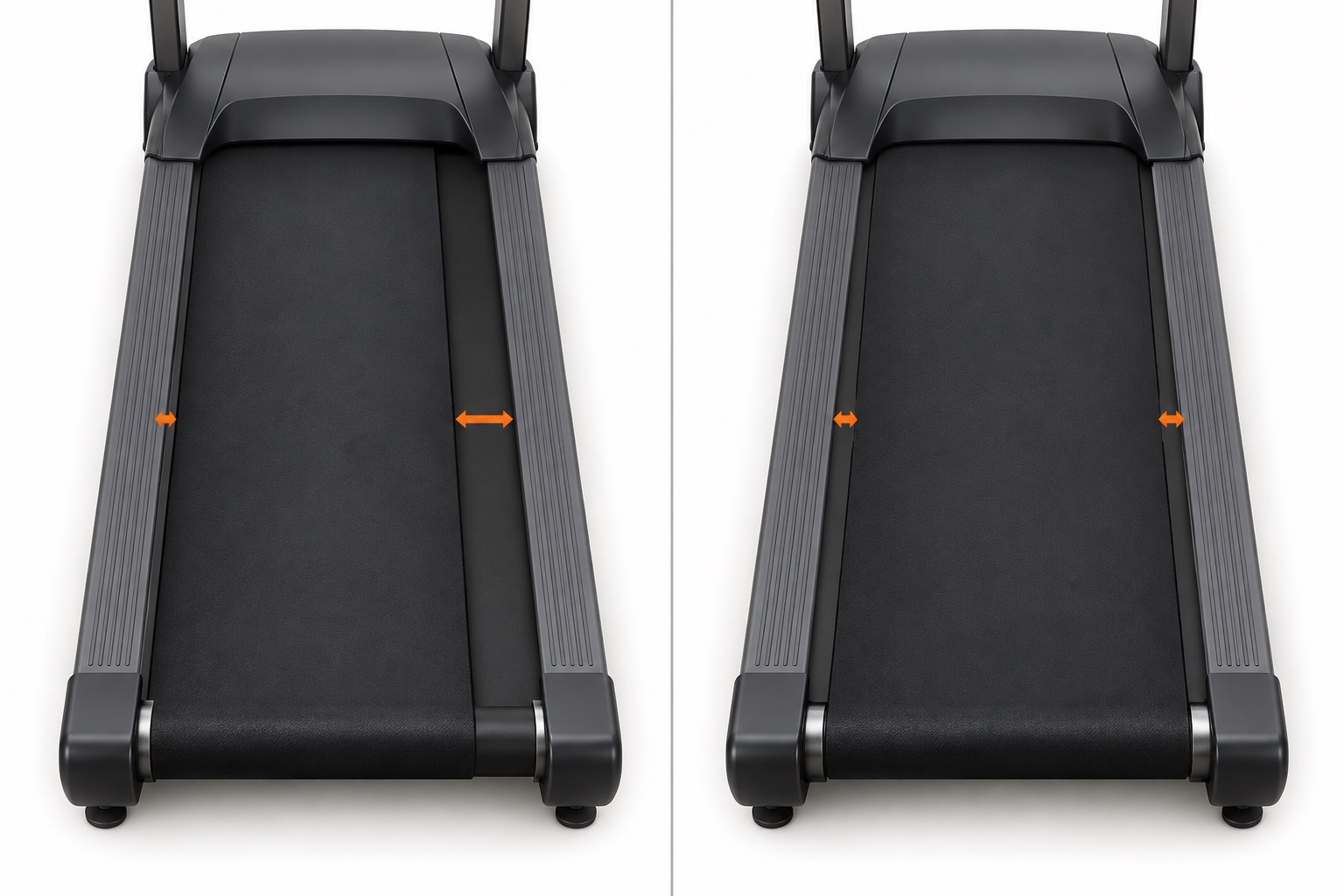
| What you notice | Most likely category | Do not assume |
|---|---|---|
| One belt edge is closer to a side rail, or the edge rubs | Alignment or tracking | Do not tighten both sides equally; that changes tension more than tracking. |
| The belt stays centered but hesitates or slips underfoot | Tension, belt/deck condition, or drive-system issue | Do not turn only one rear bolt; that can pull the belt off-center. |
| The belt slows under load but does not visibly slip | Possible over-tension, friction, power, motor, controller, or drive-belt issue | Do not automatically tighten the walking belt. |
| The belt tracks differently after the treadmill was moved | Leveling or frame position before alignment | Do not compensate for an uneven floor with repeated roller adjustments. |
| The edge is frayed, folded, torn, or riding onto a rail | Damage or severe misalignment | Stop the treadmill; do not keep testing at speed. |
Why the Exact Model Manual Matters
The rear bolts move the idler roller, but manufacturers do not publish one universal procedure. Direction, bolt choice, belt speed, adjustment size, and the final tension test can differ—even within one brand.
| Official example | Centering or tension guidance | What it proves |
|---|---|---|
| Horizon treadmill guide | Centering may be checked at 1 mph with quarter-turn changes at the left adjustment bolt. Tensioning is performed with the belt stopped, using equal quarter-turn changes. | A model may use different powered states and bolt patterns for alignment versus tension. |
| NordicTrack NTL22011.0 manual | The manual specifies unplugging before adjustment and a 2–3 inch belt-lift check for that model. | A measured lift can be valid for one exact model. |
| NordicTrack NTL10008.0 manual | The manual uses a 3–4 inch lift check and a different centering increment. | Copying another treadmill’s measurement can leave your belt too tight or too loose. |
| LifeSpan manual library | Instructions are organized by model and production period. | A model name may have multiple manuals; year and version matter. |
What You Need Before Turning a Bolt
- The manual for the exact model and version. Keep the centering and tension pages open.
- The supplied hex key or the exact replacement size. A loose-fitting tool can round the adjustment socket.
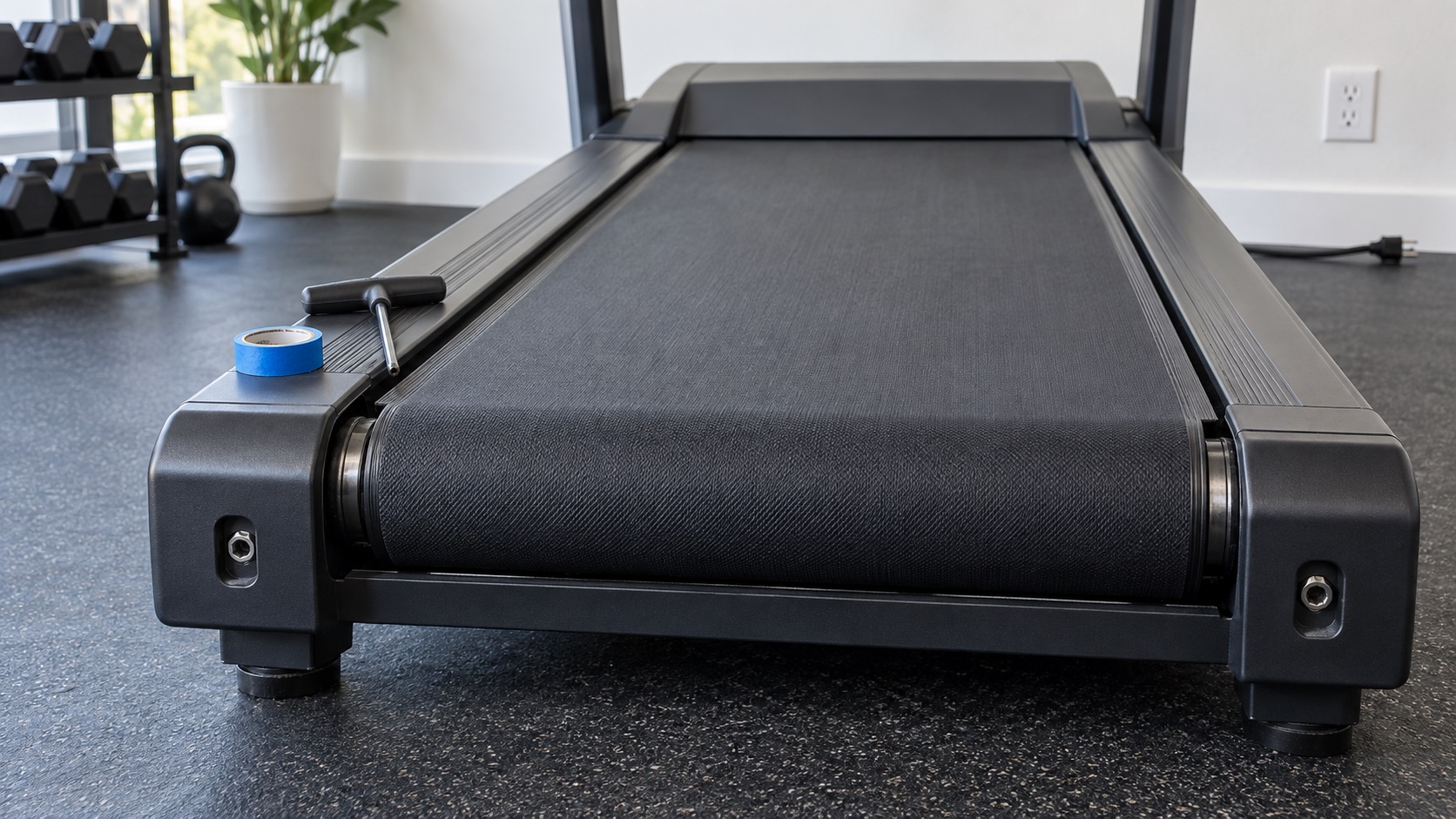
- Painter’s tape and a pen. Mark each bolt’s starting position so every change is reversible.
- A ruler or tape measure. Use it only if the manual gives a measurement or if you are comparing left and right gaps.
- A clear work area. Keep hair, clothing, children, pets, and loose objects away from a moving belt.
Set the incline to the manual’s recommended service position—usually level—before beginning. Check that the treadmill itself sits squarely on a stable floor.
How to Center an Off-Track Treadmill Belt
- Confirm the treadmill is level. Check front-to-back and side-to-side stability. If the frame rocks or the floor slopes, correct that before changing roller alignment.
- Watch the unloaded belt at the approved low speed. Stand behind and to the side, never on the moving belt. Note which edge is closer to its rail and whether the gap continues changing.
- Stop according to the manual. If your manual says to remove the safety key and unplug before turning a bolt, do that every time. Only make a live adjustment when the exact model instructions explicitly require it.
- Mark the starting position. Put a small painter’s-tape index beside the adjustment bolt or mark the hex key orientation. This lets you count quarter turns and return to baseline.
- Use the bolt and direction specified for that model. Make one small increment—commonly a quarter turn, but never more than the manual allows. Do not use a generic “turn toward the gap” rule; published procedures differ.
- Test for several belt revolutions. Power on only when it is safe to do so. Let the belt settle at the specified low speed before deciding whether another small change is needed.
- Stop when the belt remains stable. The goal is not a mathematically perfect gap at one instant. It is a belt that stays within the manufacturer’s acceptable position without rubbing during unloaded and normal-use checks.
How to Tighten a Belt That Slips Underfoot
Only begin this process when the belt is centered and the symptom is actual slip or hesitation under load. First rule out obvious contamination on the walking surface and check whether the maintenance schedule has been followed.
- Turn off the treadmill, remove the safety key, and unplug the cord. The belt should not move while you change tension.
- Mark both rear adjustment bolts. Use the same reference on the left and right.
- Tighten both sides equally. If the manual uses the common method, turn each rear bolt clockwise by one quarter turn. Use the exact direction and increment in your own manual.
- Reconnect and test. Walk at a conservative speed for a short period, checking for slip and confirming that the belt remains centered.
- Repeat only in small equal increments. Stop as soon as slipping is gone or the model’s tension test is satisfied.
Do not use a generic lift measurement. Official NordicTrack manuals demonstrate why: one model specifies 2–3 inches, while another specifies 3–4 inches. Horizon’s guide describes correct tension functionally—as the point where the slipping sensation is gone. Your manual is the specification.
When the Belt May Be Too Tight
A walking belt can be overtightened during assembly, after a repair, or after repeated attempts to cure slip. Possible clues include increased motor strain, a belt that slows under load, new roller noise, excessive heat, or a belt that fails the model’s lift or deflection check.
If the manual identifies over-tension, the usual correction is to unplug the treadmill and turn both rear bolts counterclockwise in equal small increments, then retest. Do not loosen one side to solve a tension problem, and do not continue until the rear roller becomes visibly unstable.
If the belt still slows after returning it to the specified tension, work through lubrication, deck wear, power-supply, drive-belt, motor, speed-sensor, and controller possibilities instead of adding more tension. Our treadmill lubrication guide explains why lubricant requirements must also be checked by model.
Common Treadmill Belt Adjustment Mistakes
- Turning a full revolution at once. Large changes make it easy to overshoot and hard to return to the starting point.
- Tightening both sides to fix a sideways belt. That increases tension without necessarily correcting the roller angle.
- Turning one side to fix underfoot slip. That can turn a tension problem into an alignment problem.
- Assuming clockwise always moves the belt the same way. Bolt arrangement and published procedures differ by model.
- Adjusting around an uneven floor. The belt may drift again as soon as the treadmill is moved or leveled.
- Testing at running speed. Centering checks should use the low speed specified by the manufacturer.
- Adding lubricant to solve every slowdown. Some belts are pre-lubricated or maintenance-free, and a slowdown may be caused by over-tension or a failing component.
- Ignoring edge damage. A frayed or folded belt can worsen quickly and should not be treated as a routine tracking adjustment.
Troubleshooting: When Adjustment Does Not Hold
A belt that immediately returns to the same bad position is giving you useful information. Stop repeating the same bolt turn and check the system around it.
| Problem after adjustment | Check next | Stop using the treadmill when |
|---|---|---|
| Belt drifts back to the same side | Floor level, frame stability, rear-roller mounting, belt stretch, and whether the correct model procedure was used. | The edge rubs, folds, frays, or rides onto a rail. |
| Belt is centered but still slips | Actual walking-belt tension, lubricant contamination, worn belt/deck, front roller, drive belt, or pulley. | The belt surges or cannot support a normal walking load. |
| Belt slows under load | Over-tension, model-approved lubrication status, power circuit, deck wear, motor current, controller, and speed sensor. | There is a burning smell, smoke, repeated shutdown, or error code. |
| New hum, squeak, or grinding noise | Roller bearings, belt edge contact, rear-roller tension, motor cover, and floor vibration. | The sound is metal-on-metal, rapidly worsening, or paired with heat. |
| One adjustment bolt will not turn | Correct tool size, damaged socket, seized hardware, and manual warnings. | The socket rounds, the bolt binds, or the end cap/frame begins to deform. |
Keep the Belt Tracking Correctly
- Look at the side gaps before a workout and after moving the treadmill.
- Keep the machine stable and level; use only manufacturer-approved leveling feet or procedures.
- Record adjustment dates and the exact number of left/right turns.
- Follow the model’s cleaning and lubrication schedule so friction is not mistaken for tension trouble.
- Do not store heavy objects on the belt or drag the treadmill by the deck.
- Recheck tracking after any belt, roller, deck, or frame service.
A stable belt should not need constant correction. Frequent re-centering is a symptom worth diagnosing, not a normal maintenance schedule.
Sources and Manufacturer Guidance
Requirements can vary by product, model, and situation. These primary sources informed this guide; official instructions for your exact product and current authoritative guidance take priority.
Frequently Asked Questions
-
Use the direction shown in the manual for your exact model. Some manuals use only the left bolt; others use opposing changes at both bolts. Because published procedures differ, a universal clockwise/counterclockwise rule is unsafe.
-
On many home treadmills, equal changes to both rear idler-roller bolts change walking-belt tension. Alignment may use one bolt or unequal/opposing changes. Confirm the arrangement in your model manual.
-
Only if the exact manufacturer instructions explicitly say to do so and specify the safe test speed and tool position. Other manufacturers require you to remove the key and unplug before every adjustment.
-
Tight enough not to slip under normal use, but no tighter than the model specification. Do not rely on a universal lift measurement: official manuals for different treadmills specify different distances or use a functional slip test.
-
Possible causes include an incorrect adjustment procedure, an uneven or unstable floor, a worn or stretched belt, roller or mounting problems, and frame alignment. Stop if the belt rubs or becomes damaged.
-
The walking surface may be contaminated, the belt or deck may be worn, or the slip may be in the front drive belt or pulley rather than the walking belt. Repeated tightening can overload the motor and rollers, so move to diagnosis or professional service.
-
Check the manual first. Some treadmills require routine silicone lubrication, while others use proprietary, pre-lubricated, or maintenance-free systems. Lubrication and tension are separate maintenance decisions.